Easy payments via QR code, mobile number or Tax Identification Number
No card or IBAN required
Available 24/7, with instant account credit
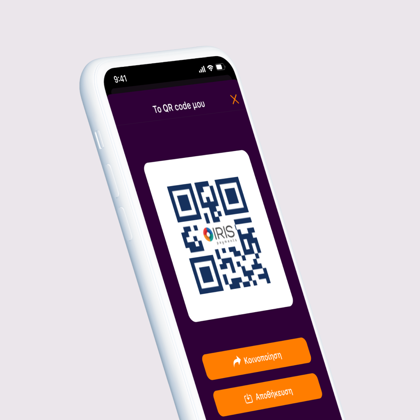
An additional tool for your business!
The IRIS payments service allows you to make and receive payments instantly, without the need for a card or IBAN entry. Transactions are completed within seconds, with immediate credit to your account and real-time confirmation upon successful completion.
Once the IRIS payments service is activated, a unique QR code is automatically generated for your business. Your customers can simply scan it to complete their payments. Alternatively, they can use your mobile number or your business Tax Identification Number.
Both you and your customers must have the service activated in your mobile banking app. In addition, you are required to have declared your current account in the AADE Registry of Professional Bank Accounts.
The amount is credited within seconds, and you receive instant confirmation of the completed transaction.
The service is available to self-employed professionals or individual businesses.
How to make payments with IRIS in physical & online stores (IRIS commerce)
You can make payments to businesses and merchants in both physical and online stores.
The service is available to individual businesses, self-employed professionals, and businesses, and can be used by individuals who are legally authorized to represent the business.
Find more useful information about how IRIS payments work here.
Let’s talk
Can we help you? Do you have any questions?
Follow us
IRIS payments activation
Complete the activation of IRIS payments in seconds through the Optima mobile app: Profile > Transactions > Transfers > IRIS payments.
 To use IRIS payments, your customers also need to have activated the feature through their mobile banking.
If you don’t have the Optima mobile app or do not have the latest version on your mobile, you will need to download or update it first.



Next, for your login, enter your Optima e-banking user ID and password. Enter a 4-digit PIN for easier access. Enter the OTP code you received on your mobile and e-mail. You may also activate biometric access, for quicker login (if supported by your device).
That’s it! Through the app, choose to activate IRIS payments: Profile > Transactions > Transfers > IRIS payments.